Welcome to BitGuides!
Made by u/C1oudyLol
BitBot Is Archived
The BitBot project that previously provided automated MonetizationVars downloads and Reddit post management has been fully archived and is no longer functional. All links and scripts related to BitBot have been removed. To get the latest MonetizationVars file, search for "MonetizationVars" on r/BitLifeRebels.
Works on Android 15+ and future Modern Versions
This method works perfectly on future modern Android versions, including the latest Android 15+. It uses Shizuku, which is currently the most stable and reliable method for accessing the Android/data folder without rooting your device.
Requirements
You need four things to get started. The main download link for the MonetizationVars file is always updated here, but you can also find it in the community Reddit post.
- Shizuku: Download from Google Play or Shizuku GitHub Releases
Can't Download Shizuku from Play Store?
If the Play Store says:
"This app isn't available for your device"
or mentions the app was made for an older version of Android, download Shizuku directly from GitHub instead: Shizuku GitHub Releases
Restricted ADB Permissions on MIUI/ColorOS/Flyme
If you're using MIUI (Xiaomi/POCO), ColorOS (OPPO/OnePlus), or Flyme (Meizu), Shizuku may display a warning:
"Your device manufacturer has restricted adb permissions."
The preferred solution is to view the official Shizuku Guide on Restricted Permissions or adjust your Developer options settings directly:
- MIUI (Xiaomi/POCO): Enable "USB debugging (Security options)" (this is a separate option from standard USB debugging).
- ColorOS (OPPO/OnePlus): Disable "Permission monitoring".
- Flyme (Meizu): Disable "Flyme payment protection".
- ZArchiver: Download from Google Play
- BitLife: Download from Google Play
- MonetizationVars File: Search for it on r/BitLifeRebels
Setup & Installation
Step 1: Activate Shizuku
You must start Shizuku using the Wireless Debugging method. This is the most important step.
- Go to the official guide and follow the section "Start via Wireless Debugging": https://shizuku.rikka.app/guide/setup/
Step 2: Configure ZArchiver
- Open ZArchiver.
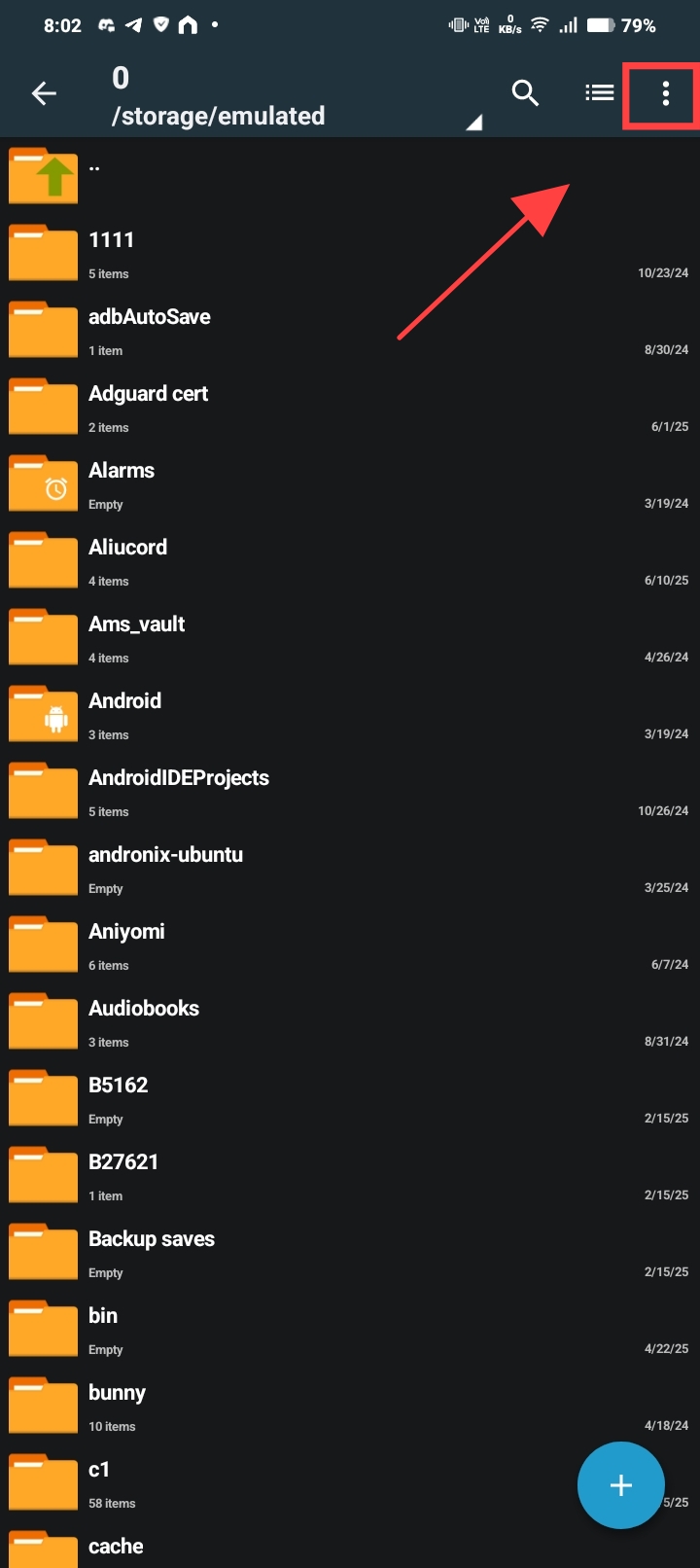
- Click the three dots on the top right.
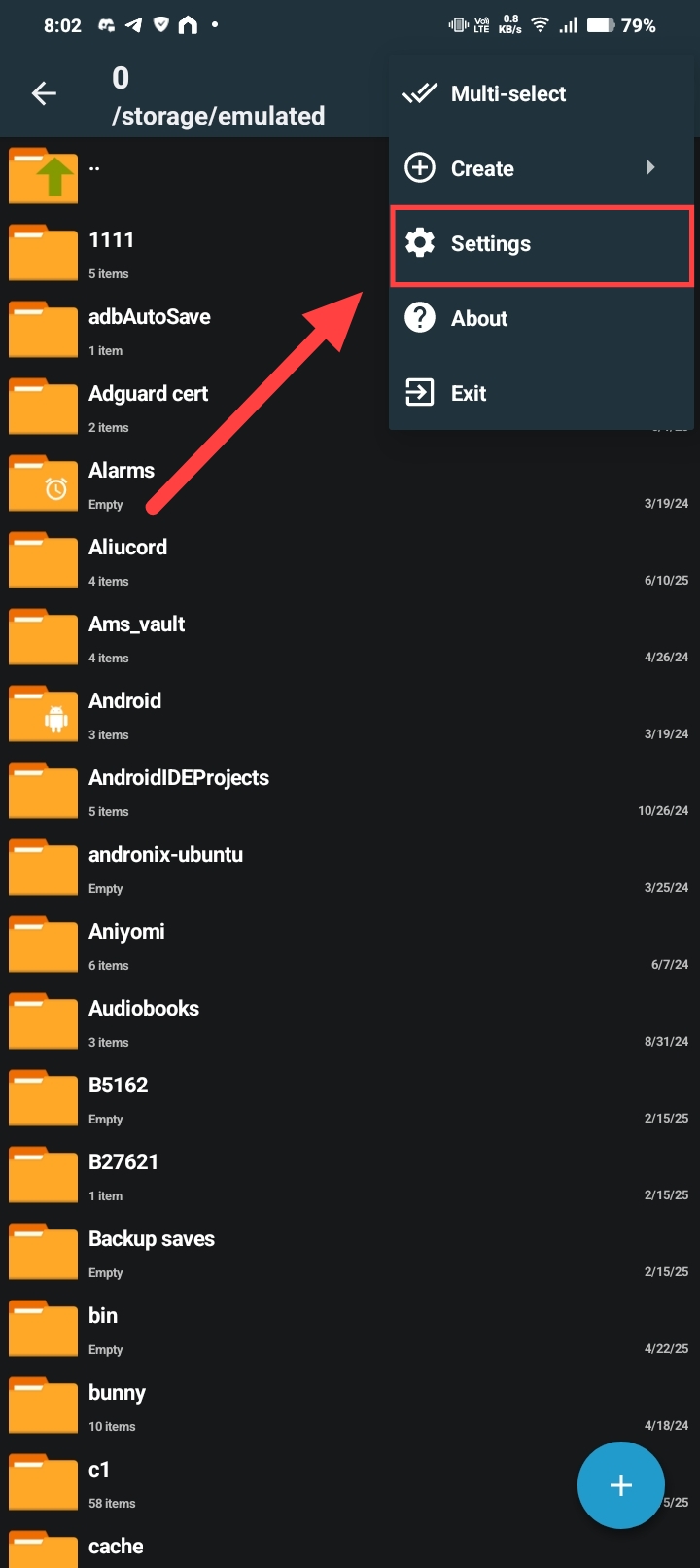
- Click Settings.
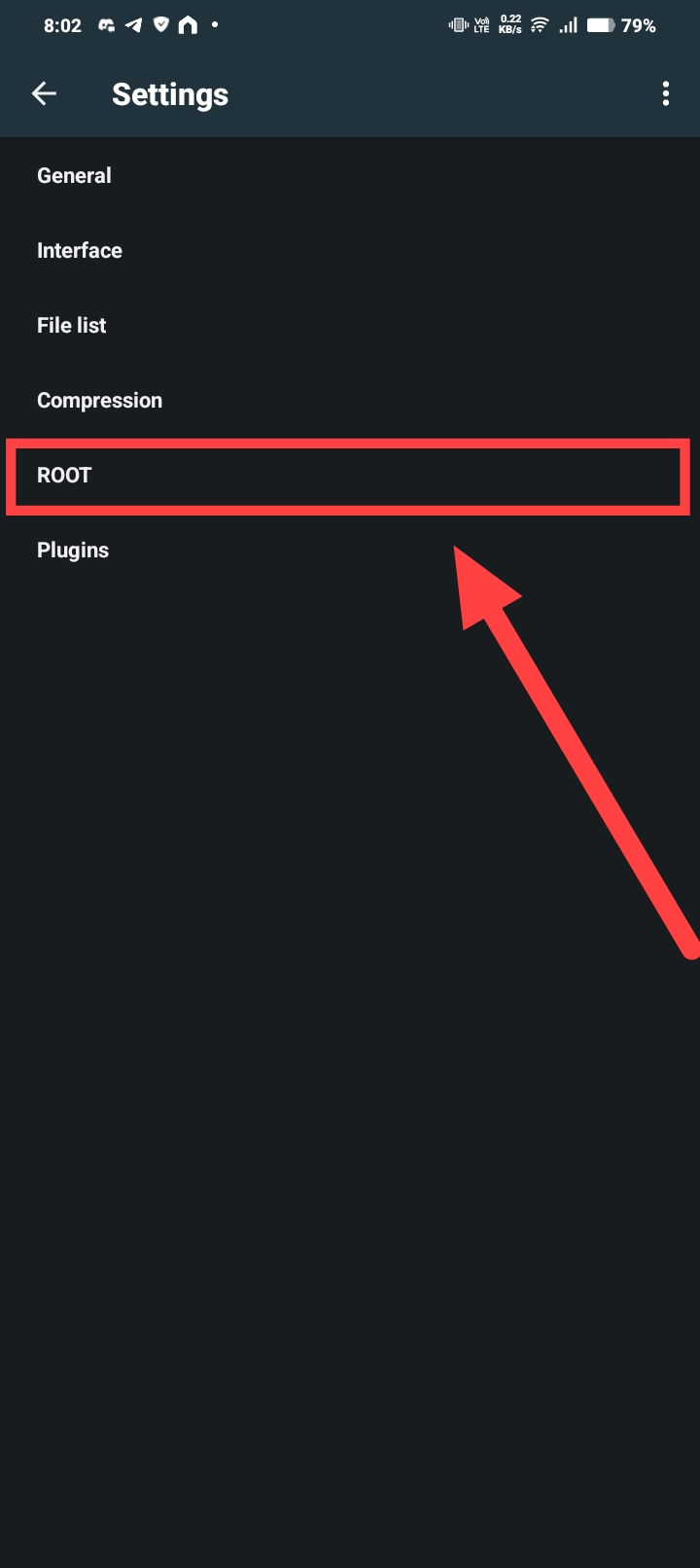
- Click ROOT.
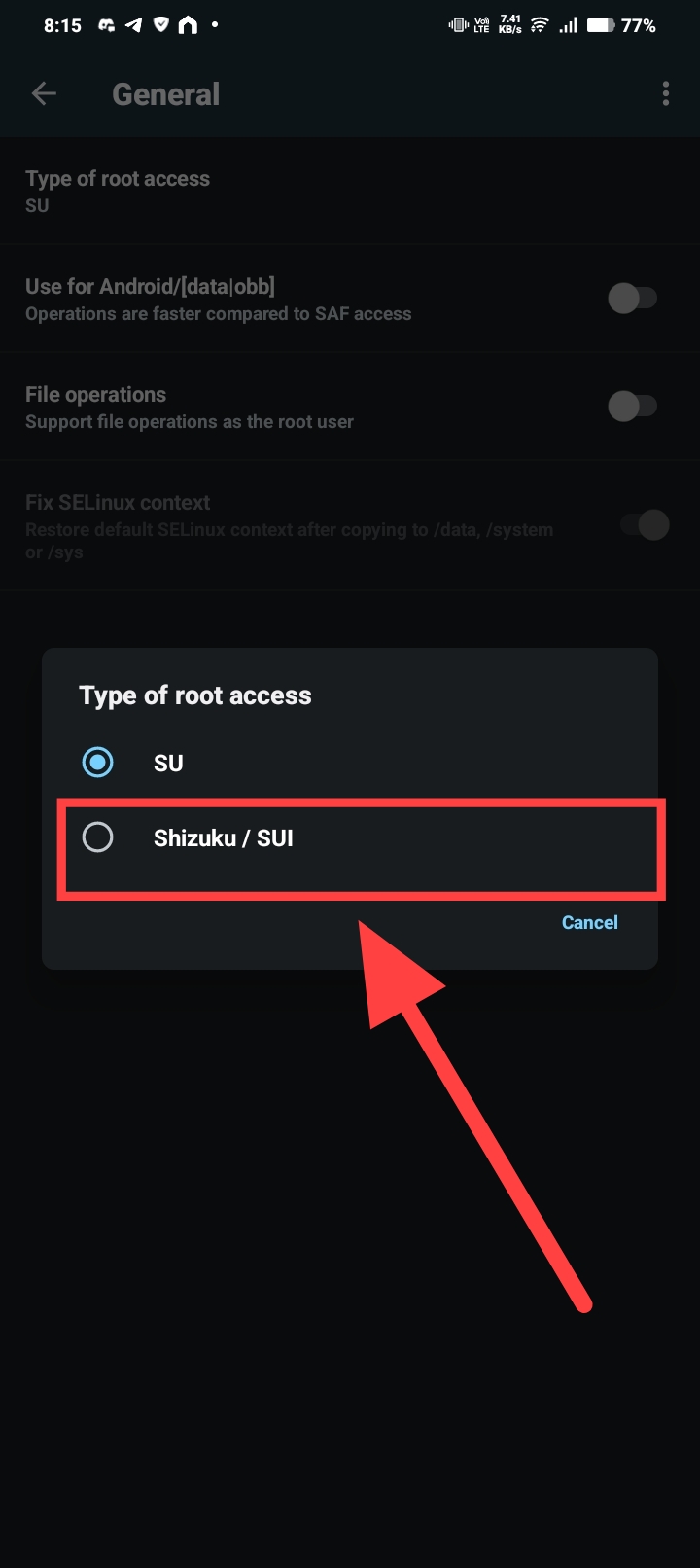
- Click Root Access and select Shizuku from the dropdown menu.
Shizuku Must Be Running
Shizuku must be running already for this to work.
- Enable the option Use for Android/[data|obb].
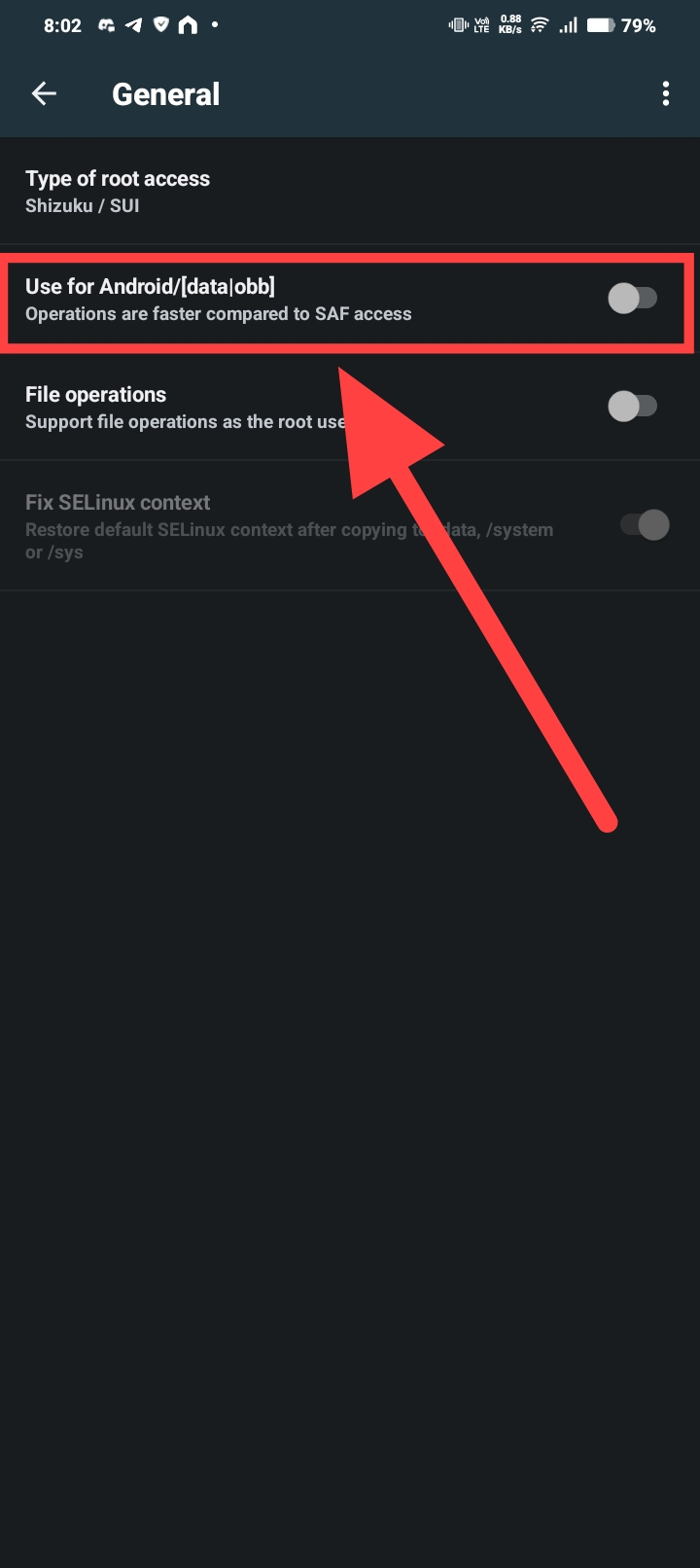
IMPORTANT: ZArchiver Permission Settings
ONLY enable "Use for Android/[data|obb]" option.
DO NOT ENABLE "File operations"
Only the Android/data access is needed for this guide to work properly.
Step 3: Apply new MonetizationVars
- Navigate to your Download folder.
File Naming Requirements
The file must be named exactly MonetizationVars with no extra
extension.
- Long-press the
MonetizationVarsfile and click Copy.
- Go to the ZArchiver home screen and navigate to the Android folder.
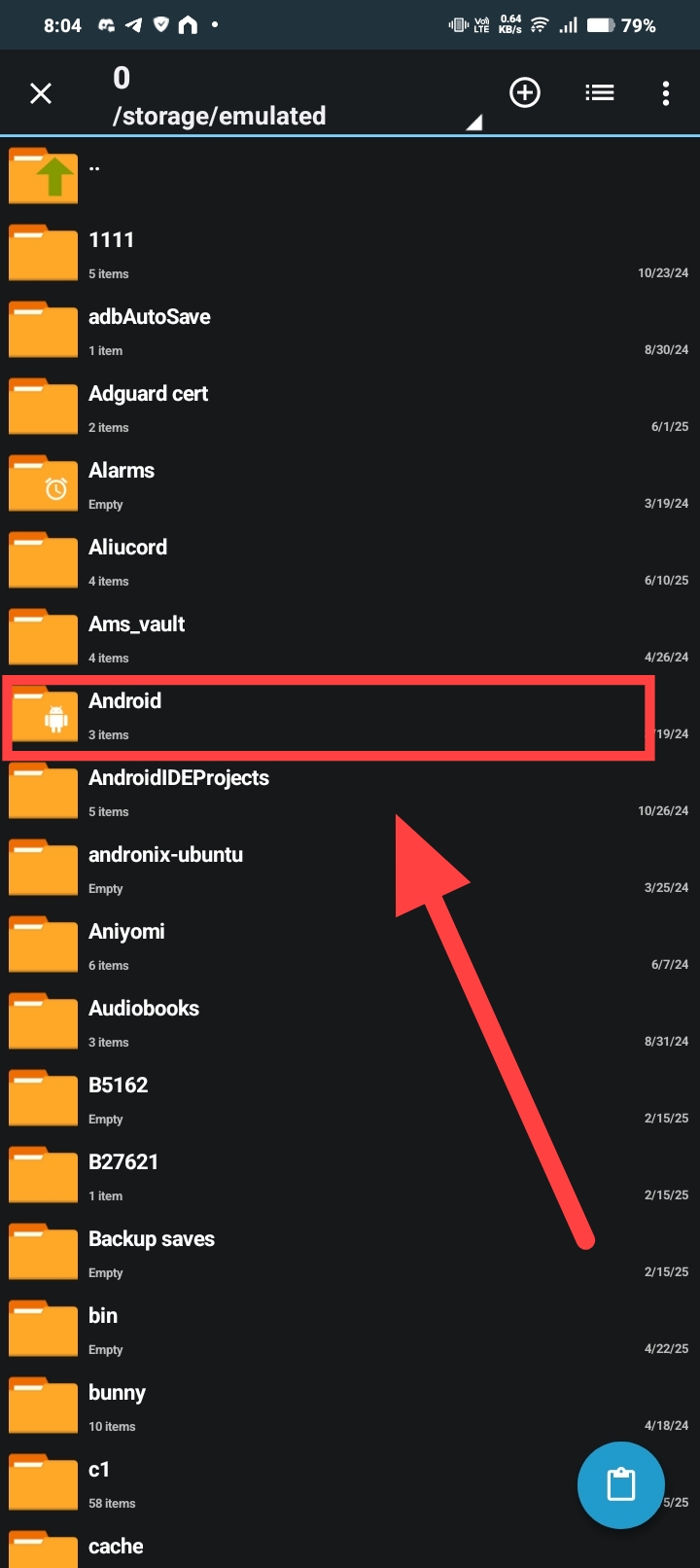
- A Shizuku pop-up will appear. Click Allow all the time.

- Navigate to the data folder.
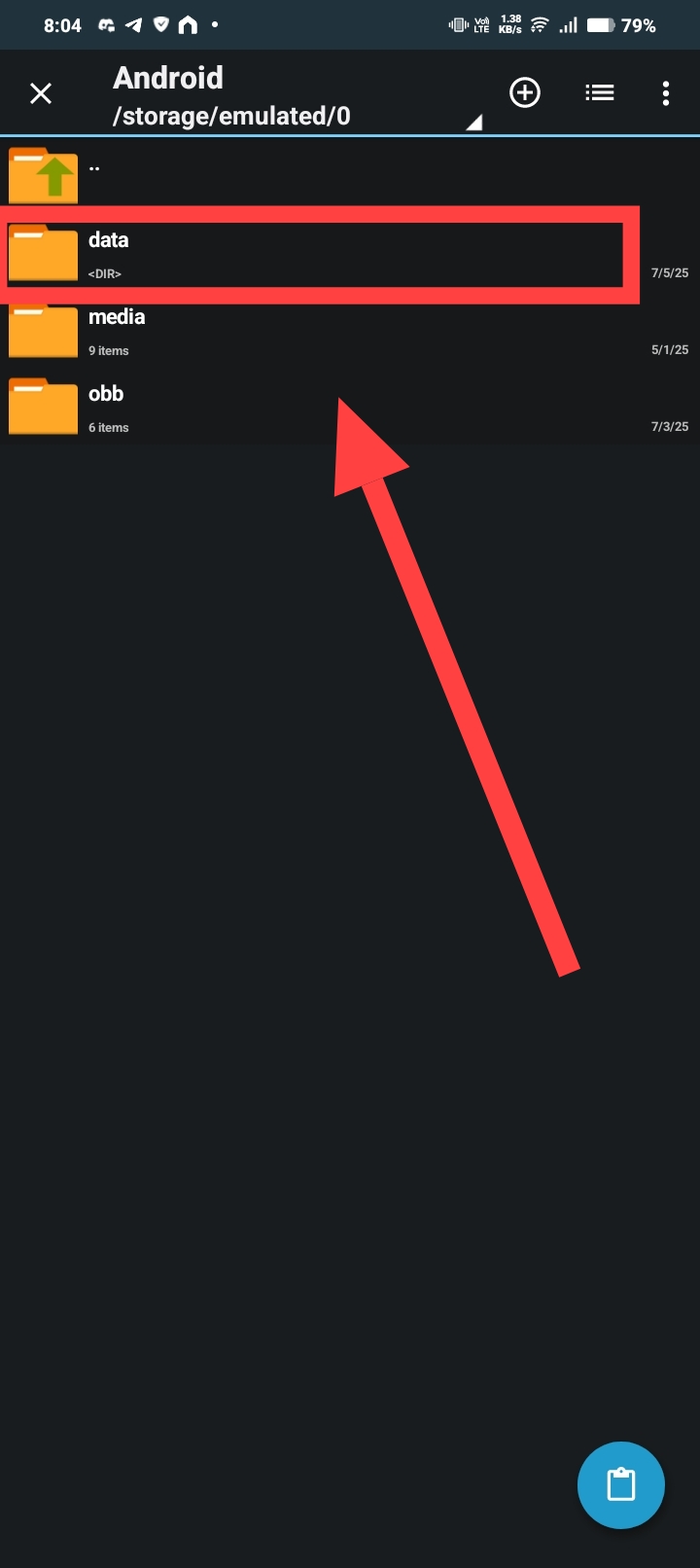
- Open the com.candywriter.bitlife folder.

- Navigate to the files folder.
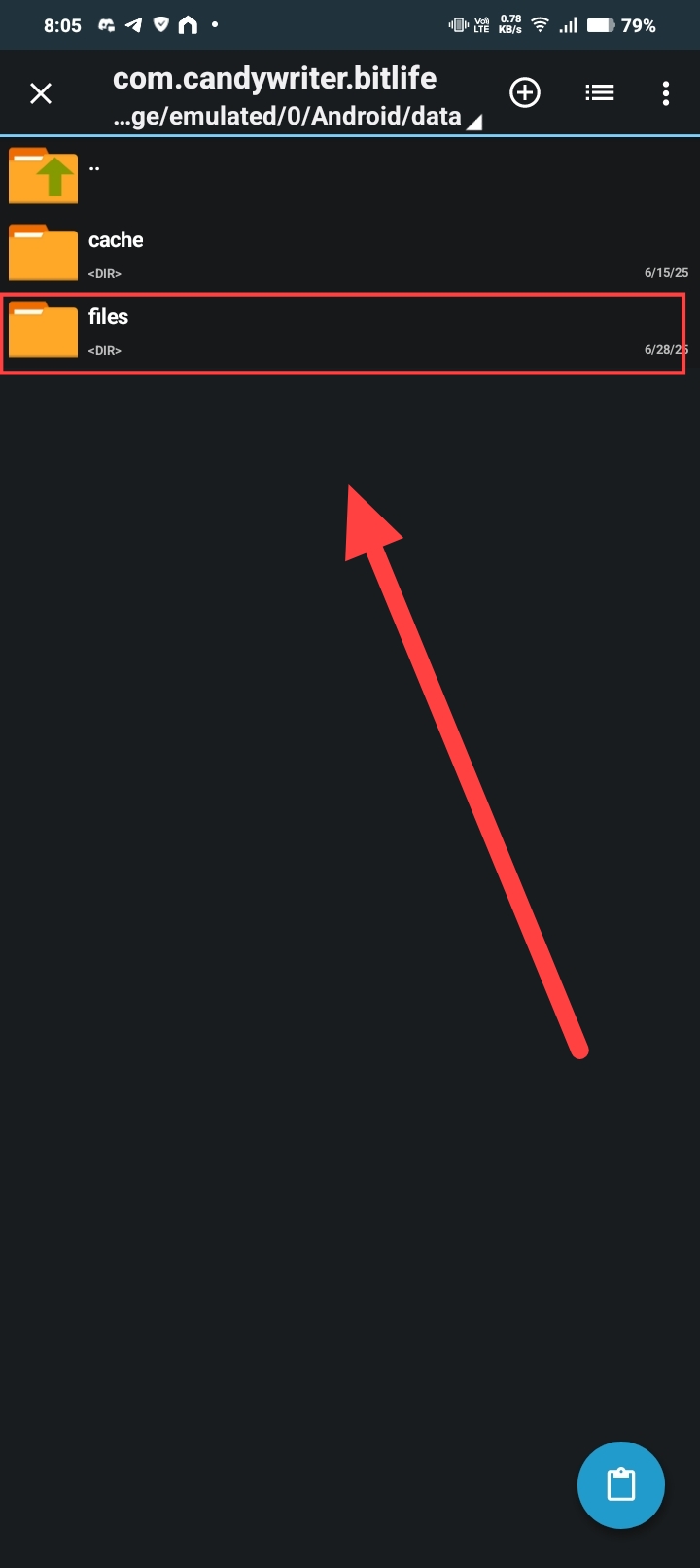
- Click the paste icon on the bottom right.

- When asked to "Overwrite File?," check the box and click REPLACE.

Step 4: Make the Mod Permanent
- In the same folder (
.../files/), find the file namedLiveDictionary. - Delete the
LiveDictionaryfile.
- Create a new folder (not a file) and name it exactly
LiveDictionary.
Advanced Customization with BitEdit
For Power Users: Create a MonetizationVars Mod
If you want more control and wish to enable or disable specific things yourself on MonetizationVars, you can use my other project, BitEdit.
BitEdit is a web tool that lets you edit the MonetizationVars file using a simple, human-readable interface. You don't need to understand complex JSON code.
How it works:
1. Go to the BitEdit web tool: Click here to open BitEdit
2. Make your desired changes to MonetizationVars.
3. Download your new, MonetizationVars file from the tool.
4. Follow Step 3 and Step 4 of this guide using your newly created file.
Troubleshooting & Updates
When BitLife Updates with New IAP
When BitLife releases a new update with new In-App Purchases (IAP), you'll need to get the latest MonetizationVars file and replace it again.
You DON'T need to: - Set up ZArchiver again - Configure Shizuku permissions again
You ONLY need to: - Activate Shizuku - Download the latest MonetizationVars file - Follow Step 3 (Apply new MonetizationVars) to replace the old file
The setup is permanent - only the MonetizationVars file needs updating when BitLife adds new content.
Once finished, force close BitLife and open it again. Everything will be unlocked.